timings

timings
The Timings system is no longer available on current Paper and Purpur servers. Use Spark for current performance reports. Timings should be considered deprecated and no longer be used.
Paper 1.21 builds will have the timings system disabled by default.
Paper 1.21.3 and newer have timings permanently disabled and timings can no longer be used.
Purpur 1.19 and newer do not support timings.
More information is available in the Paper Timings deprecation issue.
As time has gone on, Timings has become a bit outdated, from the Bloom team we usually recommend using Spark instead.
What is a Timings Report
A timings report is a way of detecting what is causing lag on your server, if you are running Paper or other Forks of paper you can take a report using the following steps,
How to take a Timings Report
First, in-game or in console, run the command /timings on. Once you have enabled timings wait at least 10m then go onto the next step.
After waiting 10m, run the command /timings paste.
Said command will paste a link on the console, which when clicked will take you to a web interface similar to the one shown below.
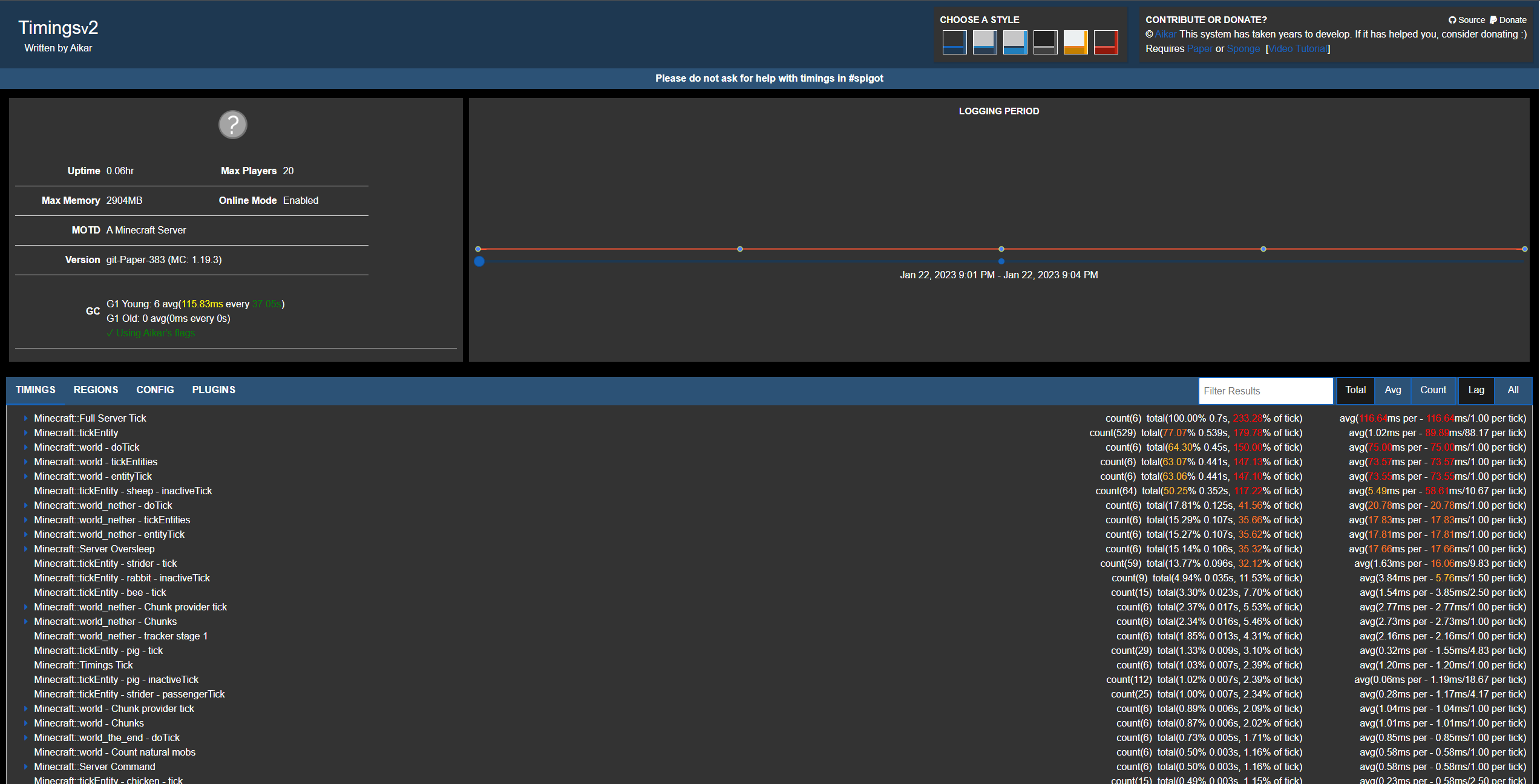
Anything in red is using an excess of resources. You can also click the plugins tab to see what plugins are using the most resources on your server.
Alternatives to Timings
Timings, while a great tool to get an overview of performance at a basic level, might not be the best utility to use for more indepth troubleshooting or performance breakdowns. A new and popular alternative that we recommend is Spark. Learn more in our Spark guide.
If you require help with reading your timings, create a ticket in Bloom.host Discord!