Mounting a CD/ISO in VirtFusion

Mounting a CD/ISO in VirtFusion
Use the Media tab in VirtFusion to mount an operating-system installer, driver image, or other bootable utility on your VPS.
Mounting the Image
- Sign in to the VirtFusion dashboard and select your VPS.
- Open the Media tab.
- Under CD/DVD-ROM, select the image you want to mount.
- Click Insert. VirtFusion will configure the VPS to boot from the mounted CD/DVD image.
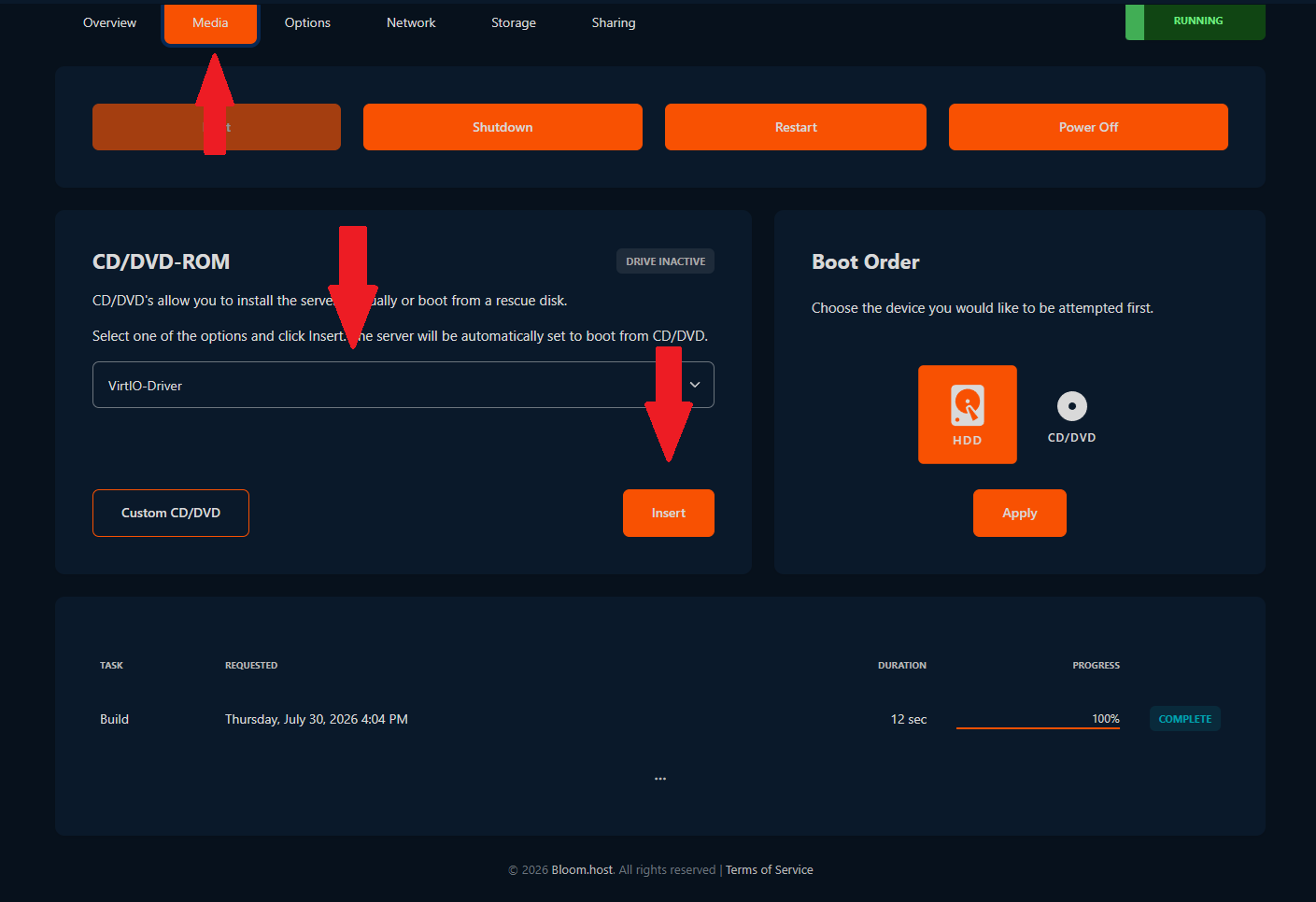
The VPS will not restart automatically, do so manually after following the VNC steps below.
Continuing Through VNC
Use the VNC console to interact with the installer or utility provided by the mounted image. Follow the VirtFusion VNC guide to enable and open the console.
After finishing, return to the Media tab and eject the image so the VPS boots from its virtual disk normally.